Glassmorphism is a modern UI design trend that mimics frosted glass effects, combining transparency, blur, and subtle shadows to create depth and visual hierarchy.
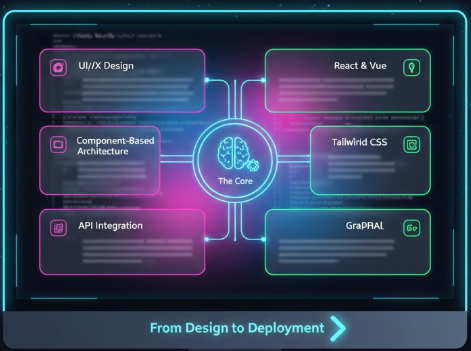
What is Glassmorphism?
Glassmorphism creates a sense of depth through layering translucent elements with:
- Transparency: Semi-transparent backgrounds
- Blur Effects: CSS backdrop-filter for frosted glass look
- Subtle Borders: Light borders to define edges
- Layering: Depth through overlapping glass elements
This is a Glassmorphism Effect!
Notice the frosted glass appearance with blur and transparency.
CSS Implementation
Basic Glassmorphism Card
.glass-card {
  /* Transparent background */
  background: rgba(255, 255, 255, 0.1);

  /* Blur effect - KEY property */
  backdrop-filter: blur(10px);
  -webkit-backdrop-filter: blur(10px);

  /* Subtle border */
  border: 1px solid rgba(255, 255, 255, 0.18);
  border-radius: 20px;

  /* Soft shadow for depth */
  box-shadow: 0 8px 32px 0 rgba(31, 38, 135, 0.37);
}
Advanced Example with Gradient Overlay
.glass-gradient {
  background: linear-gradient(
    135deg,
    rgba(99, 102, 241, 0.2),
    rgba(218, 70, 239, 0.1)
  );
  backdrop-filter: blur(15px) saturate(180%);
  -webkit-backdrop-filter: blur(15px) saturate(180%);
  border: 1px solid rgba(255, 255, 255, 0.25);
  border-radius: 24px;
  padding: 30px;
  box-shadow:
    0 8px 32px 0 rgba(31, 38, 135, 0.37),
    inset 0 1px 0 0 rgba(255, 255, 255, 0.3);
}
Browser Support & Fallbacks
/* Check for backdrop-filter support */
@supports (backdrop-filter: blur(10px)) {
  .glass-card {
    background: rgba(255, 255, 255, 0.1);
    backdrop-filter: blur(10px);
  }
}

/* Fallback for unsupported browsers */
@supports not (backdrop-filter: blur(10px)) {
  .glass-card {
    background: rgba(255, 255, 255, 0.9);
    /* No blur, but still readable */
  }
}
Performance Optimization
- Use Hardware Acceleration: Transform and opacity are GPU-accelerated
- Limit Blur Intensity: blur(5px-15px) is optimal; higher values impact performance
- Avoid Overuse: Too many blurred layers can cause lag
- Test on Mobile: Mobile devices may struggle with complex blur effects
Performance-Friendly Animation
.glass-card {
  transition: transform 0.3s ease, box-shadow 0.3s ease;
  /* Avoid animating backdrop-filter - expensive! */
}

.glass-card:hover {
  transform: translateY(-5px);
  box-shadow: 0 12px 40px 0 rgba(31, 38, 135, 0.5);
}
Accessibility Considerations
- Text Contrast: Ensure adequate contrast between text and glass backgrounds
- Color Blindness: Don't rely solely on color to convey information
- Readability: Test with actual content, not just placeholder text
- Focus States: Maintain visible focus indicators for keyboard navigation
Real-World Use Cases
- Modal Dialogs: Glass overlays that maintain context visibility
- Navigation Bars: Transparent headers that adapt to background
- Cards & Widgets: Modern dashboard components
- Login Forms: Aesthetic authentication interfaces
Pro Tip: Glassmorphism works best over colorful backgrounds or images. On plain white/black backgrounds, the effect loses its magic!
Design Tools
Tools to experiment with glassmorphism:
- Hype4.Academy: Glassmorphism CSS generator
- Figma: Background blur effect + layer transparency
- CSS.glass: Interactive glassmorphism generator
Conclusion
Glassmorphism is more than just a trend—it's a design pattern that adds elegance and depth to modern interfaces. When used thoughtfully with performance and accessibility in mind, it can elevate user experiences significantly.
Back to Portfolio